
TNREGINET Support: Official Help Route and Escalation
Use this page when the same TNREGINET problem keeps returning and you need the right official help route. Stay here for support triage, authority context, and the point where a clean retry should turn into escalation or office follow-up.
This page is for support routing, authority context, and office follow-up. It does not replace the dedicated service guides or the faster TNREGINET not-working checks.
Shows the department chain behind TNREGINET so users know where official follow-up starts if the portal problem does not clear.
Helps users decide whether a clean retry is enough or whether the case has moved into support and escalation.
Shows which details make a help request easier to trace and faster to resolve.
Use this page when a TNREGINET problem no longer looks like a one-time mistake and the quicker not-working checks did not settle it. It helps you separate simple retry cases from issues that need helpdesk attention, department context, or office follow-up.
Scope: this article is for support routing, authority context, and escalation logic. If the issue is still mainly portal, login, app, or service failure diagnosis, use the TNREGINET not working page first. For full login, EC, guideline value, or app instructions, use the dedicated service pages instead.
Who Manages TNREGINET and Why Support Matters
TNREGINET works under the Tamil Nadu Registration Department. That is why users often search tnreginet inspector general of registration when they want to confirm the official authority behind the portal, the department responsible for registration services, or the correct place to escalate a problem.
Most users do not need an officer name before solving a portal problem. They need to know where the portal sits, which support path is for software trouble, and when the issue has moved far enough that office follow-up makes more sense.
Support logic: first identify whether the problem is a portal issue, a login issue, a service-specific issue, or a case that belongs to office follow-up. That makes escalation much cleaner.
The portal sits inside the Tamil Nadu registration-service system, not as an independent private website.
Most users need authority context because they want official help, not just a copied troubleshooting blog.
Authority context matters most when a routine software retry no longer solves the issue.
Inspector General of Registration and department context
The Inspector General of Registration is the authority users associate with the Registration Department and the wider registration-service system in Tamil Nadu. TNREGINET sits within that department context, which is why the portal, user manuals, complaint channels, and service guidance are treated as official registration-department resources.
For normal user problems, support usually starts with the official TNREGINET portal, the software helpdesk, complaint numbers, or the contact options shown there. Office-level escalation is more relevant when the issue involves document scrutiny, jurisdiction, delayed processing, or a service path that cannot be resolved through routine portal support.
Why support becomes necessary when the portal keeps failing
Support usually becomes necessary only after something stops working and the quicker TNREGINET not working checks did not clear it. Common examples include login failure, OTP delay, captcha issues, a blank page, repeated loading problems, TNREGINET online payment errors, marriage-certificate follow-up confusion, or confusion about whether the issue is on the user side or the system side.
Support is usually the better next step when:
- the portal opens but the target service does not load
- the same error keeps appearing after retrying
- the app and portal show different behavior
- they need an official helpline instead of an unofficial guide
- they are not sure whether to wait, retry, or escalate
Short Pre-Support Check Before Escalation
Before contacting support, run a short check so you do not escalate a simple path, session, or detail mistake. Many TNREGINET complaints begin with the wrong portal address, browser issues, expired captcha, OTP delay, or the wrong service path.
The goal here is not to diagnose every failure in depth. It is to decide whether support is needed yet and to gather the right details if it is.
Quick pre-support check
- open https://tnreginet.gov.in/portal/ and confirm the page loads
- test one clean login attempt with fresh captcha
- open one target service page and check whether only that page fails
If the same issue stays unclear after these checks, move toward support with the details ready.
Confirm the official portal path first before trusting any saved bookmark or lookalike result.
Try another browser or device to see whether the problem belongs to the portal or the current setup.
Check whether one service is failing or whether the full portal is affected before escalating.
Quick portal and service checks before asking for help
Start with the official TNREGINET portal and confirm the domain carefully. Users should avoid random lookalike sites, saved outdated links, or third-party pages that copy the portal name. The safest path is to reopen the official site and then move to the exact service needed.
Before asking for support, users should check:
- the official portal URL is correct: https://tnreginet.gov.in/portal/
- internet connection is stable
- the page loads in another browser or device
- captcha refresh works and the code is entered carefully
- the issue affects one service only or the whole portal
- the same problem continues after a normal refresh or fresh login attempt
Before contacting support: review the official help resources shown on the portal, such as user manuals, help videos, and the support menu. That can save time when the issue is service-specific rather than support-worthy.
Information users should keep ready before asking for help
When users contact support without the basic details, the process usually becomes slower. A good support request should make it easy to identify the account, the service, and the exact failure point.
Useful details to keep ready include:
- user name, registered mobile number, or login-linked contact details
- application number, acknowledgement number, or reference number if available
- service type, such as login, EC, guideline value, Patta, application status, marriage certificate follow-up, or another portal task
- district, Sub-Registrar Office, or location details when relevant
- exact error message, screenshot, or the last step that failed
- date and time when the issue happened
- browser, device, or app details if the problem is technical
Why this matters: these details help users explain whether the problem belongs to software support, registration clarification, or office-level follow-up.
Common Support Situations and the Right Next Step
Most support requests fall into a few repeating groups. The issue is usually tied to account access, portal or page behavior, wrong service navigation, or record-search detail mismatch. Users save time when they label the problem clearly before they ask for help.
This section is not meant to replace the full service guides. It is here to show what kind of support case the user is dealing with and what the next step should look like.
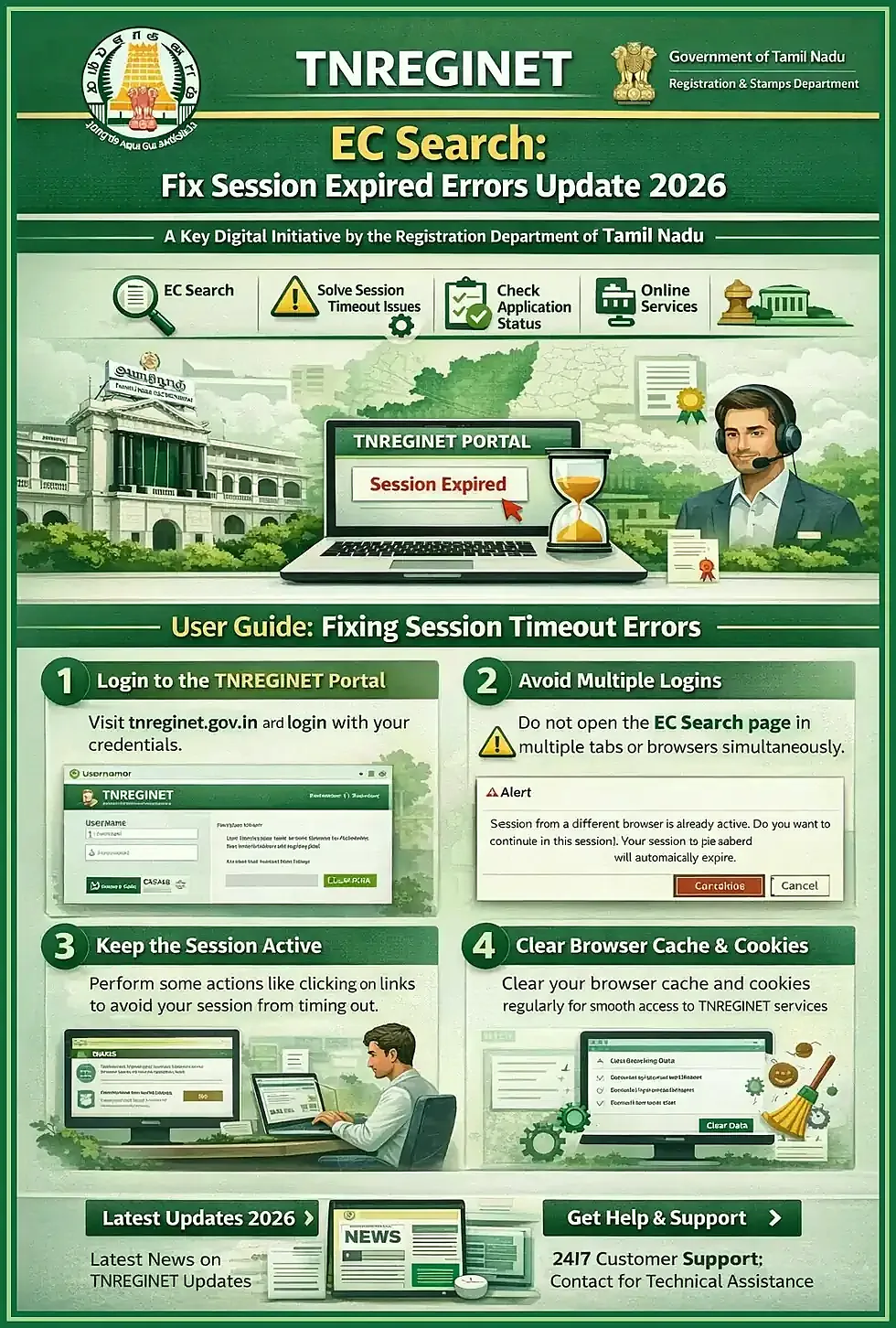
Login, password, OTP, and captcha problems usually start with account mismatch, session timeout, or retry errors.
Blank pages, slow loading, and service-page failures need a quick check across browser, device, and page type.
EC errors and no-result confusion often come from wrong SRO, date range, search type, or incomplete record details.
Login, password, OTP, and captcha support cases
Login problems usually happen because the password is wrong, the OTP arrives late, the captcha is entered incorrectly, or the session expires while the user is moving between pages. In some cases, the user is also trying to sign in with a mobile number or account that is not linked to the service they are attempting to use.
Start with these checks before treating it as a support case:
- refresh the captcha and enter it carefully
- wait briefly for OTP and retry once instead of requesting many codes quickly
- make sure the registered mobile number is active and has signal
- use the official login path instead of an old saved link
- reset the password if the sign-in details are no longer clear
- avoid opening multiple TNREGINET tabs during login
Support signal: if the same login error continues even after a clean retry, the issue is no longer just a simple one-step correction.
Portal access and service-page error support cases
Sometimes TNREGINET opens normally but one service page does not load. In other cases, the whole portal becomes slow, blank, or stuck. Users should separate these two situations because the fix path can be different.
Start with these checks before escalating:
- reopen the official portal in a fresh browser tab
- try another browser or device
- check whether only one page fails or many pages fail
- sign out and return to the service from the main menu
- wait a short time and retry if the page seems temporarily overloaded
- keep a screenshot if the same error page appears repeatedly
System-side signal: if the homepage, login, and service pages all fail across devices, support will have a stronger reason to treat it as a broader platform problem.
EC search and result-confusion support cases
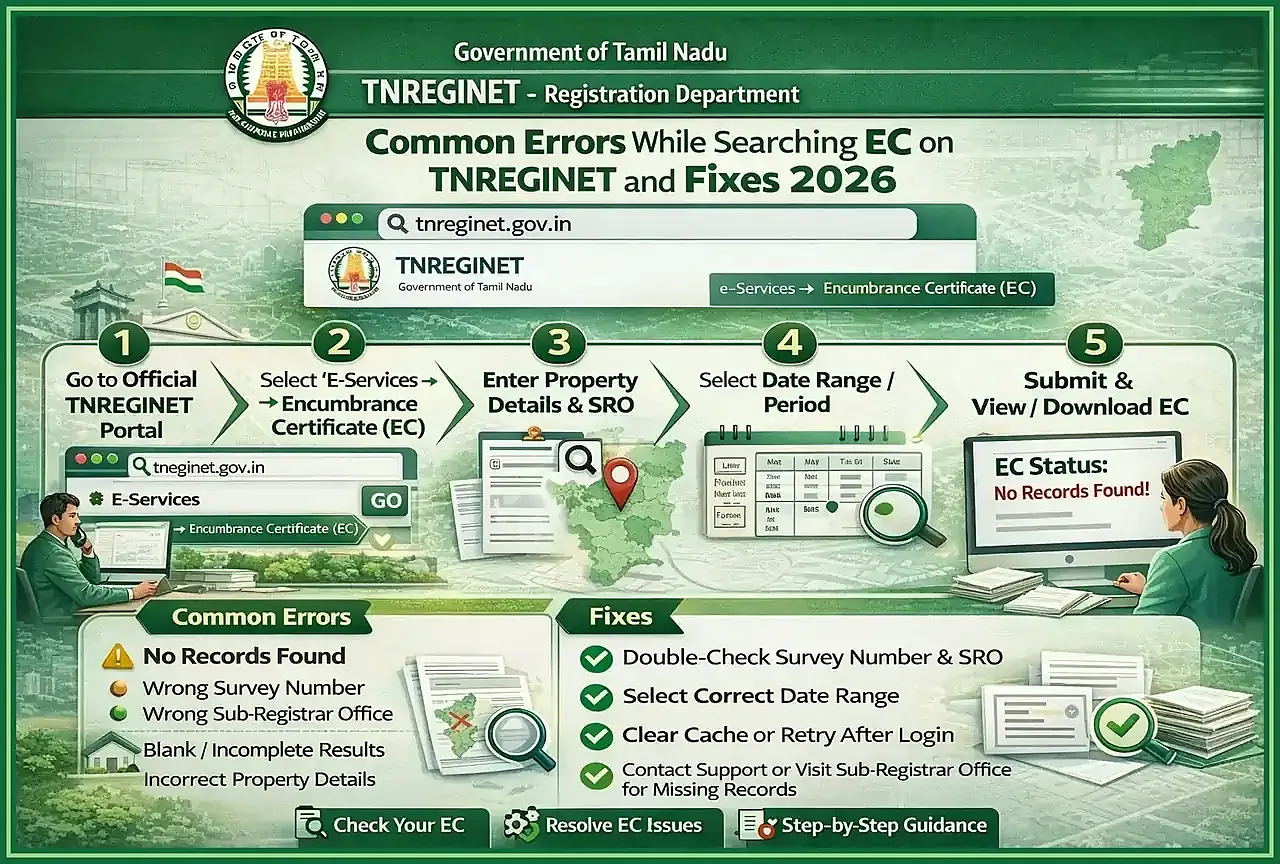
EC-related problems often come from search details that do not match the registered record. A user may enter the wrong district, SRO, village, survey details, document details, or date range. Some records may also be older, incomplete in the current online view, or better handled through the concerned office.
When EC results look wrong or empty, users should:
- recheck district, SRO, village, and document details carefully
- confirm whether the search should be document-based or survey-based
- widen the date range if the result appears too narrow
- make sure the service path is the EC page and not a different lookup page
- compare the search details with the available property or document records
- treat no-result output carefully instead of assuming the property has no history
If the EC search keeps failing after the details are checked properly, users may need certified-copy help, office clarification, or a closer review of the registration details instead of repeating the same search.
When the issue is likely user-side and when it is likely system-side
The issue is more likely user-side when only one browser or device fails, the captcha keeps changing before submission, OTP does not work because the registered mobile is unavailable, or the search fields are incomplete or mismatched.
The issue is more likely system-side when the official portal and multiple service pages fail together, the same error appears across browsers or devices, the app and portal both stop responding, or the user has clearly correct details but the service still does not move forward after clean retries.
TNREGINET App and Mobile Access Problems
Many users try the TNREGINET app first because it feels faster on mobile. That works well for quick checks, simple lookup tasks, and basic access. But mobile issues can create a false impression that the whole TNREGINET service has a deeper problem when the real issue is limited to the app session, sync state, or device setup.
Users should compare the app with the official portal before turning a mobile problem into a full support claim.
The app is useful for quick access and status lookup, but it is not always the best place for deeper troubleshooting.
A stale session or partial mobile sync can make the app look broken even when the main portal still works.
If app and portal behavior differ, users should trust the main portal more than the mobile screen.
App not opening or syncing correctly
App problems usually appear as login not loading, services not updating, stale results, or a screen that keeps spinning without moving forward. In some cases, the app opens but does not reflect the latest status shown on the main portal.
Useful first fixes include:
- close and reopen the app cleanly
- confirm the phone connection is stable
- check whether the same account works on the official portal
- sign in again if the mobile session looks expired
- update the app if the installed version looks outdated
- compare the service result with the portal before trusting the mobile display
Useful signal: if the app keeps failing but the portal works normally, the issue is more likely mobile-side or app-specific than a full TNREGINET outage.
When users should switch from app to portal
Users should move from the app to the portal when the task becomes more detailed than a quick mobile check. The full portal is usually the safer option for login recovery, long form flows, repeated service errors, or any request where the user needs a clearer screen and full service context.
It is better to switch to the portal when:
- the app does not open properly or keeps logging out
- service results in the app do not match the portal
- the user needs detailed form entry or correction
- login, OTP, or captcha recovery becomes difficult on mobile
- the request involves submission tracking, document review, or repeated errors
- the user needs to confirm whether the issue is really app-side or system-side
Rule of thumb: when app and portal behavior do not match, users should treat the portal as the more reliable reference point.
When to Contact TNREGINET Support or Visit the Office
Not every TNREGINET problem needs direct escalation. Some issues clear after a careful retry, a browser change, or a corrected search detail. But other problems should move quickly to support or office-level follow-up so users do not waste time repeating the same failed step.
The key is to judge the problem by its pattern, not by one single failed attempt.
Use this when the issue looks temporary, minor, or clearly linked to one session or one wrong field.
Use this when the same issue keeps returning, the account cannot move forward, or the portal gives no clear next step.
Use office follow-up when document scrutiny, SRO clarification, or land-record and registration mismatch is part of the case.
Which problems can wait and which need direct escalation
It is usually reasonable to wait or retry when the issue looks temporary, minor, or clearly linked to one session. Examples include:
- one-time slow loading
- a captcha entry mistake
- a short OTP delay
- a wrong search field that can be corrected
- one page failing while the rest of the portal works
Direct escalation makes more sense when the problem continues after clean retries or affects a submitted request. Users should move faster toward support when:
- the same error keeps returning across retries
- the account cannot move past login, OTP, or service access
- the app and portal both fail or show conflicting results
- a submitted application does not move and the reference details are already available
- the issue appears linked to jurisdiction, record mismatch, or office verification
- the portal no longer gives a clear next step
Office follow-up matters most when manual document review, SRO-level clarification, or registration-record mismatch is part of the problem.
What details help support solve the issue faster
Support becomes more effective when the user gives a short, structured explanation instead of a vague complaint. The goal is to help support identify the account, service, and failure point without extra back-and-forth.
If the confusion started because the wrong service path was chosen, such as society instead of the firm registration route, say that clearly before asking for help.
A strong support-ready detail set includes:
- account-linked mobile number or user identity detail
- application, acknowledgement, or reference number
- exact service name and page where the issue happened
- district, SRO, village, or location detail when relevant
- exact wording of the error or a screenshot
- whether the same issue happened on portal, app, or both
- what the user already tried before contacting support
- whether the case now looks like software trouble or office-level follow-up
Why this helps: if users prepare those details first, support can usually decide more quickly whether the issue belongs to the helpdesk, a complaint channel, or the concerned office.
TNREGINET Support FAQ
Short answers to common help and troubleshooting questions
Who is the Inspector General behind TNREGINET?
Users connect TNREGINET with the Inspector General of Registration because the portal sits inside the Tamil Nadu Registration Department system. For most portal problems, though, users do not need an individual officer name first. They need the correct portal, the right support route, and a clear escalation path.
What should users do if TNREGINET shows errors repeatedly?
If the same TNREGINET error keeps returning, stop repeating random retries and check the pattern. Confirm the official portal, test whether the issue affects one service or many, and save the exact error details. If the problem continues after clean retries, move into support with the right reference details.
When should users contact support instead of retrying later?
Contact support when the issue continues across retries, blocks login or service access, affects both app and portal, or stops a submitted request from moving forward. A small one-time loading delay can wait, but repeated errors, mismatch issues, or unclear next steps should move to support sooner.
Final Takeaway and Best Next Step
Which issue users should solve first based on the problem type
Start by naming the problem correctly. If it is a portal-access issue, do a quick portal check first. If it is a login, OTP, or captcha issue, clean up the account-access side first. If EC or another lookup shows wrong or empty results, verify the search details first. If the app behaves differently from the portal, compare everything against the main portal first.
Once the problem type is clear, the support route becomes easier to choose. Retry only when the issue looks temporary or minor. Move to support when the problem repeats, affects multiple paths, or blocks a submitted request. Move to office follow-up when the case clearly involves jurisdiction, document scrutiny, or registration-record mismatch.