
TNREGINET App: Download Safely and Know Its Limits
Use this page when the real job is finding the official TNREGINET app, checking whether mobile access is enough, and knowing when the browser portal is the better choice.
Stay here for store links, quick mobile use, and the app-or-browser choice. This page does not replace portal-wide error checks, login recovery, or broader support follow-up once mobile access is no longer the real blocker.
Store access on Android and iPhone for selected TNREGINET services.
Check the developer or seller before installing any TNREGINET mobile app.
Use the browser portal for long forms, payments, and tasks that need careful review.
Use the app when you want a quick mobile check and do not want to open the full portal. For longer forms, payment steps, or careful document review, the browser version is the safer choice.
What the Mobile App Is and How to Confirm It
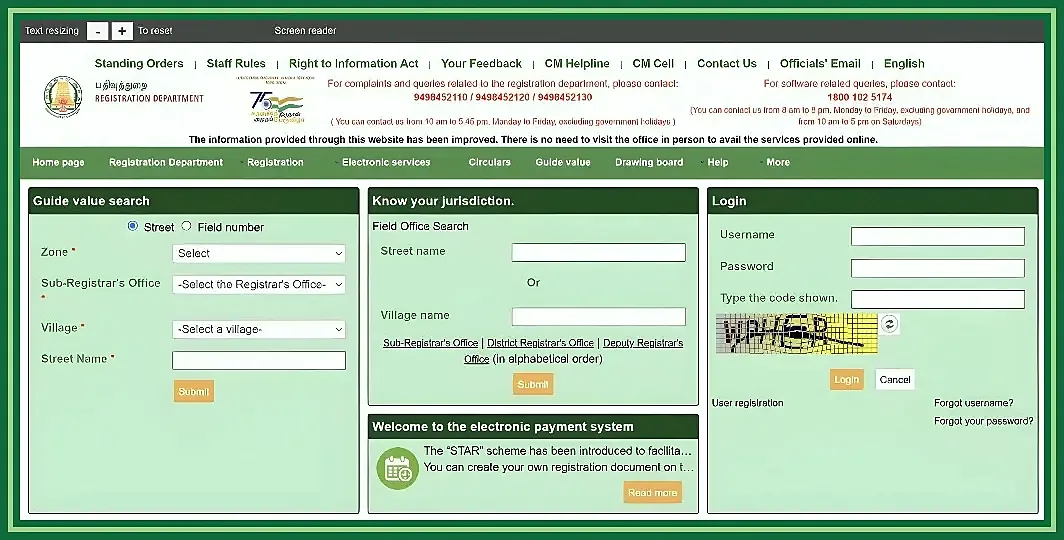
There are real mobile listings for this service. Do not trust the app name alone. Check the store, the developer or seller, and the screenshots before you install anything.
On Google Play, the developer is shown as Tamilnadu Registration Department. On the Apple App Store, the seller is shown as The Inspector General of Registration. If those details do not match, stop there and do not install.
Android
Use Google Play and confirm the developer before installing.
iPhone
Use the Apple App Store and check the seller or department name.
Store identity
App name, screenshots, and privacy details should line up with TNREGINET services.
Android and iPhone app identity in simple terms
Android users should use Google Play. iPhone and iPad users should use the Apple App Store. Do not go hunting for APKs or copied install pages just because they appear in search.
Check these first
- Android users should look for the TNREGINET app on Google Play
- iPhone and iPad users should look for TNREGINET on the Apple App Store
- the developer or seller should show Tamilnadu Registration Department or Inspector General of Registration
- app screenshots should match real TNREGINET service screens
- avoid APK mirror sites and unofficial download pages
Store details such as rating, update date, size, compatibility, and privacy text can change. Check the live listing before you install instead of trusting an old screenshot.
Where users should download the app safely
Use the main app stores first. If the government site shows a direct store link, that is fine too. Do not install an APK from unknown websites, file-sharing pages, social-media posts, or copied app directories.
Before installing, check
- app name: TNREGINET
- developer: Tamilnadu Registration Department
- seller or department reference: Inspector General of Registration where shown
- privacy-policy link connected with TNREGINET
- screenshots that match registration, EC, guideline value, or document services
- recent reviews or update notes if stability matters to you
Avoid unofficial APK files
If the app asks for unrelated permissions, shows a different developer name, or comes from a third-party APK site, do not install it. Use the browser-based TNREGINET portal instead.
What Users Can Do on the App
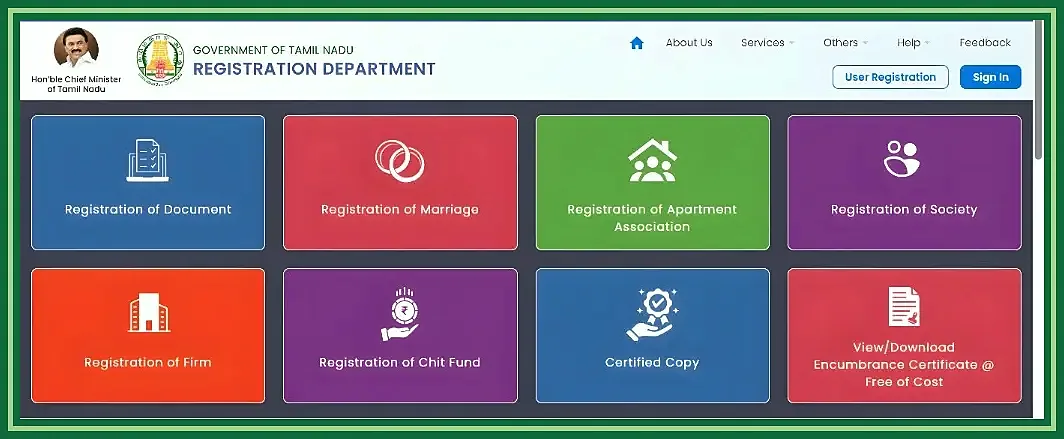
The app is most useful when you want to check something quickly from a phone. It works well for lighter tasks that do not need a long form or a wide screen.
Think of it as a mobile shortcut, not as a perfect copy of every browser screen. The exact menu can shift by app version, login state, device compatibility, and live server response.
Main services available through the app
The store listings point to several public checks and selected registration-related services. Common examples are property lookups, status checks, and department tools.
Common app use cases include
- Encumbrance Certificate or EC search and view
- guideline value search for property value checks
- jurisdiction or Sub-Registrar Office lookup
- stamp duty and registration fee calculator tools
- document status tracking
- certified copy-related access or request support
- marriage-certificate information or status follow-up
- searches related to society registration, the partnership-firm route, or other registration services shown in the app
Treat the app result as a starting point, not the last word. For legal, payment, registration, or certificate decisions, cross-check the details on the government site or with the relevant office.
When the browser portal is the better choice
The browser portal is better when the task becomes long, detail-heavy, or sensitive. A phone app is convenient, but a larger screen is easier when the task involves long forms, uploads, account recovery, or troubleshooting.
Use the browser portal when
- the app does not open or keeps crashing
- a service is missing or not loading inside the app
- login, OTP, captcha, or account steps fail on mobile
- the task involves long forms, payment, appointment, or detailed registration work
- the user needs to compare multiple records carefully
- the app result and portal result do not match
- the process must be completed on the website or at the office
Use the app for fast checks. Use the portal when mistakes would waste time.
How to Get It on Mobile
Getting the app should be simple if you stay inside the real stores. Open Google Play or the Apple App Store on the device and search for TNREGINET there.
Do not install an APK just because it appears high in search. App-directory pages can show old screenshots or copied details that do not match the live listing.
Android path
Use Google Play and confirm Tamilnadu Registration Department as the developer.
iPhone path
Use the Apple App Store and check the seller or department context.
Safety check
Avoid APK mirror sites, unknown download pages, and unrelated app permissions.
Android app path and store checks
Android users should use Google Play. Search for TNREGINET, open the listing, and check the developer name before you tap install. It should identify Tamilnadu Registration Department as the developer.
Before installing on Android, check
- the app name is TNREGINET
- the developer is Tamilnadu Registration Department
- the app page is on Google Play, not an APK mirror
- screenshots show registration-related services
- the privacy-policy link and app information look connected with TNREGINET
- the device meets the current compatibility requirements shown by Google Play
If the app does not appear on the device, Google Play may be filtering it because of region, device compatibility, Android version, or store availability. In that case, use the website in a browser instead of downloading from an unknown APK site.
iPhone app path and platform expectations
iPhone and iPad users should use the Apple App Store. Search for TNREGINET and check that the seller or department information matches The Inspector General of Registration or the Tamil Nadu registration context.
Before installing on iPhone or iPad, check
- the app name is TNREGINET
- the app is listed on the Apple App Store
- the seller or department details match the registration department context
- the app supports the device type and iOS or iPadOS version shown on the listing
- screenshots and privacy information look relevant to TNREGINET services
If the app is unavailable, not loading, or not compatible with the device, use the website in a browser. That is the safer fallback for important tasks.
What users should verify before installing
Before installing on any device, verify the app identity, the download source, and the kind of task you want to do with it. If the labels confuse you, use the TNREGINET English and Tamil guide before continuing.
Verify these points
- real app store source
- correct app name and department identity
- relevant screenshots or app photos
- current compatibility information
- recent update or review signals if available
- privacy-policy and data-safety details
- no unrelated permission requests during installation
If anything looks unrelated to Tamil Nadu registration services, stop and use the government site instead.
Mobile Features That Matter Most
The most useful app features are the fast ones: EC-related checks, guideline value, document status, jurisdiction lookup, and other quick public tools.
The app is a better fit for short checks than for careful data entry, document upload, payment, appointments, or detailed verification.
EC, guideline value, status, and service lookup use cases
The app helps when someone needs a quick starting point for property or registration checks. A buyer may want EC-related information, an owner may want guideline value details, or someone may need the correct Sub-Registrar Office before going further.
High-value use cases include
- EC view or Encumbrance Certificate checking
- guideline value search for land or property planning
- document status lookup after registration-related work
- jurisdiction and SRO locator use
- stamp duty or registration-fee estimate tools
- public searches for marriage, society, firm, chit fund, document writer, or stamp vendor information where available
- quick mobile review of app photos, screenshots, and service screens before using the portal
For important property or certificate decisions, cross-check the result on the government site or with the relevant office.
Why the app works better for quick checks than deep tasks
The app works best as a quick-check tool because mobile screens are small and service availability can depend on app version, login status, server response, and device compatibility. It is convenient for finding information, but it is not the smoothest place for long or sensitive tasks.
Use the app for
Fast searches, simple lookups, mobile status checks, and service-path confirmation.
Use the portal for
Long forms, careful verification, payments, login fixes, and final submission.
Use the app for
- fast searches
- simple service lookups
- checking status while away from a desktop
- confirming whether a service path exists
- viewing app screenshots or service screens
Use the portal for
- long forms
- careful document or property verification
- payment-related tasks
- login troubleshooting
- repeated captcha or OTP issues
- final submission or office follow-up
The practical rule is simple. Use the app for quick mobile access. Use the browser portal when accuracy, form completion, payment, or office follow-up matters more than speed.
Common Mobile App Problems and What to Do
Most app issues fall into three groups: install or compatibility trouble, TNREGINET login trouble, and service-loading trouble. The fix depends on whether the problem comes from the device, the app version, the store install, or the service itself.
Start by checking whether the app is real, updated, and compatible with the device. If it opens but one feature fails, the problem may be login, network connection, server response, or that specific service path.
App not opening, sign-in trouble, and service-sync issues
If the app does not open, keeps closing, or gets stuck on loading, start with the simple checks first. Make sure it came from the real store, the phone has enough storage, the operating system is compatible, and the network connection is stable.
Common app issues include
- app not installing because the device is not compatible
- app not opening or crashing after launch
- slow loading because of poor internet or server response
- sign-in trouble caused by wrong credentials, OTP delays, or account mismatch
- service screens not loading inside the app
- old app version showing outdated behavior
- app result not matching the full portal result
Useful checks include
- update the app from Google Play or the Apple App Store
- restart the phone and try again
- switch between mobile data and Wi-Fi
- recheck login details and OTP access
- confirm the service is available in the app and not only on the portal
- compare the result with the browser version if the app output looks incomplete
If the problem affects only one service, the app may still be fine and the issue may belong to that feature or the live service response.
When it is better to switch to the browser portal
Move to the browser portal when the app no longer gives a reliable next step. This is common when the task involves long forms, login recovery, payment, certificate follow-up, or detailed verification.
Use the browser portal when
- the app does not open after update and restart
- login or OTP issues continue on mobile
- a service is missing from the app menu
- the app keeps showing incomplete or mismatched results
- the task involves payment, long form entry, or final submission
- the user needs to compare detailed property or document records
- mobile performance is too slow for a sensitive task
If the same issue appears on both the app and the portal, the next step is the TNREGINET not working guide or office follow-up rather than repeated retries on the phone.
TNREGINET App FAQ
Short answers to common mobile-app questions
Is the TNREGINET app official?
Yes. The app is listed in the real app stores and is tied to Tamilnadu Registration Department or the Inspector General of Registration context. Still check the store listing, developer name, screenshots, and privacy details before installing.
Is the app available for both Android and iPhone?
Yes. TNREGINET is available through Google Play for Android and through the Apple App Store for iPhone and iPad. Availability can still depend on region, device compatibility, and the live store listing.
Can users do every TNREGINET task through the app?
No. The app is useful for quick checks, status lookup, and selected service access, but it does not replace the browser portal for every task. For long forms, payment, detailed verification, login recovery, or missing app features, the website is the better choice.
Choose Mobile or Browser Based on the Task
The TNREGINET app is most useful when speed matters and the task is light. It works well for quick checks, simple lookups, and route confirmation without opening a larger screen first.
It should still be treated as a mobile shortcut, not a full replacement for the website. Use the browser when the task becomes longer, more sensitive, or harder to verify on a phone.
Use the app for quick checks and the browser for deeper work
Use the app
Best for fast mobile checks, simple lookups, quick status review, and service-path confirmation.
Use the portal
Better for long forms, payments, detailed verification, and final submission.
Use the app when
You need a fast mobile check, simple lookup, or quick service access while away from a desktop. It is a good option for checking public tools, reviewing status, and confirming whether the feature is available.
Use the portal when
The task involves long forms, payment, detailed property or document review, login recovery, repeated OTP or captcha issues, or any final submission where mistakes would waste time. If the app and portal show different results, trust the browser portal and move to TNREGINET support or office follow-up when needed.