
TNREGINET Application Status: Find the Right Status Route
Use this page only after you know what kind of request you are tracking. Document status, Patta follow-up, marriage follow-up, and token checks do not all use the same branch, so the first job is sorting the request type.
Stay here for status routing, reference details, and stuck-status decisions. This page does not replace full service guides, fresh application steps, or portal-troubleshooting checks once the real branch is clear.
Main owner page for cross-service status routing, reference choice, and stuck-status decisions.
Most status confusion starts with the wrong service branch, not a dead request.
Use support only after the request type and reference path are already clear.
Start by separating the task. If you already have an application number, acknowledgement number, document reference, or token detail, status checking may be the next job. If you are still trying to submit a fresh request or fix a broken portal screen, do not force the status path yet.
If the real problem is still payment confirmation, receipt proof, or a bank debit that has not matched the request yet, use the TNREGINET online payment guide before treating it like a status problem.
What TNREGINET Application Status Means
The phrase sounds simple, but it hides more than one kind of follow-up. One person may be trying to trace a document-related request. Another may be checking whether a Patta transfer moved forward. Someone else may only want to know whether a marriage-related request or a token slot is still active.
That is why many users get stuck. They know they submitted something, but they open the wrong menu, use the wrong reference number, or repeat the application flow when the real task is only to track what happened after submission.
Why one status search can point to different services
TNREGINET brings together several service paths, and each one leaves behind different kinds of follow-up details. A document-side request may depend on a document number, request list, or acknowledgement trail. A Patta-related case may depend on land-record follow-up. A marriage-related case may depend on spouse details, acknowledgement details, or an earlier submission record. Token-related checks can be narrower still, because they may be about slot availability rather than the progress of a completed request.
So when users type tnreginet application status, they are not always asking the same question. They are really asking, “which status path fits the request I already made?” That is the first problem to solve here.
The first split: document, Patta, marriage, or token status
The safest first split is by service type, not by guesswork.
- use the document-status side when the request is tied to registered document follow-up, document tracking, copy-related progress, or a registration-side record trail
- use the Patta branch when the issue is transfer progress, land-record follow-up, or a Patta-related status path rather than a normal record search
- use the marriage branch when the follow-up depends on an application, acknowledgement, or marriage-record detail that was already submitted earlier
- use the token branch when the real question is slot visibility, token availability, or token-linked progress rather than a completed service result
Once that split is clear, the next steps become much easier. The right status page depends less on the brand name and more on what exactly the user already submitted, saved, or received.
Choose the Correct Status Path First
Many status problems come from one mistake: the user is trying to track the right request through the wrong branch. The portal may still be working, the login may still be fine, and the reference number may still be valid, but the wrong menu makes everything look broken.
That is why the first decision is not “which button should I click?” The first decision is “what kind of request am I following?” Once that part is right, the portal path becomes much easier to judge.
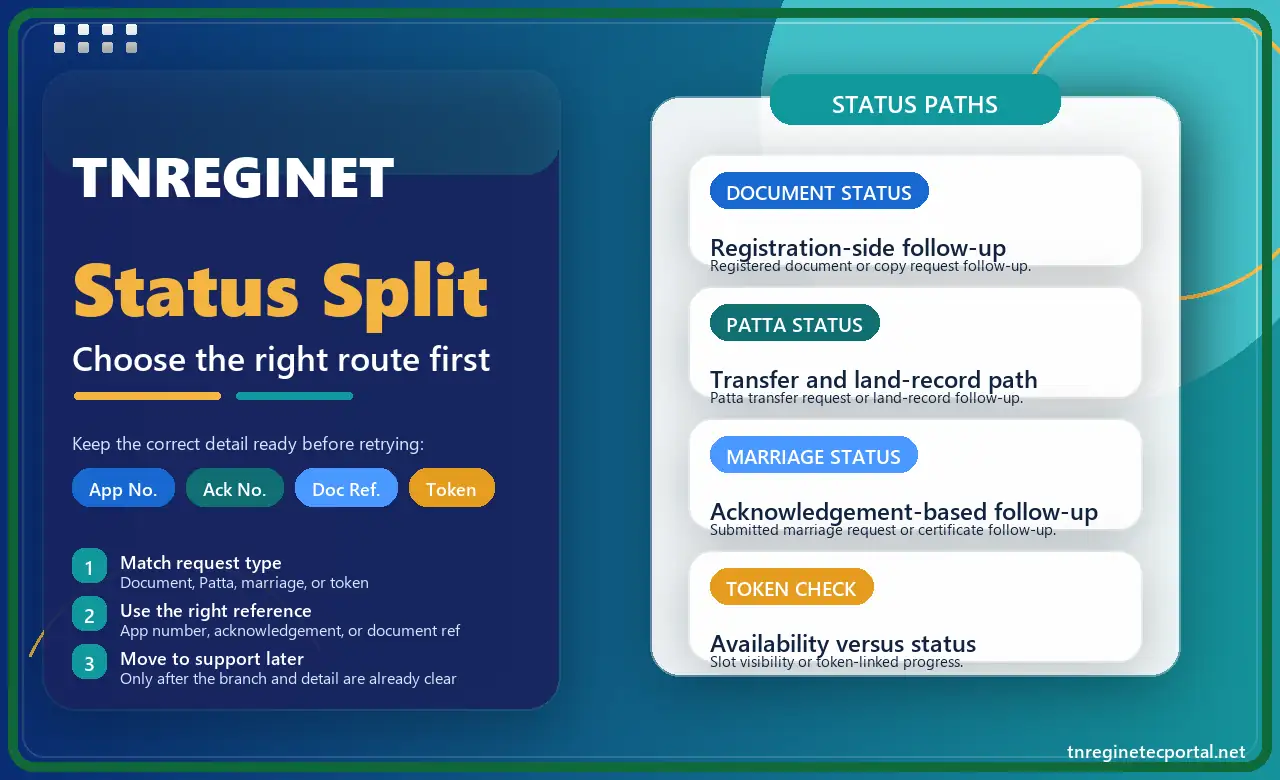
| Request type | Best status path | What matters most |
|---|---|---|
| Document-side requestRegistered document, copy trail, or registration-side follow-up. | Document status | Document number, registration-side reference, or acknowledgement trail. |
| Land-record or transfer casePatta transfer, land-record movement, or record-side progress. | Patta status | Land-record context, transfer detail, and the correct Patta-side branch. |
| Marriage-service follow-upSubmitted marriage request or certificate-linked follow-up. | Marriage status | Acknowledgement detail, spouse names, and the right marriage-service record. |
| Slot or appointment checkToken visibility, availability, or token-linked progress. | Token check | Token detail, slot context, and whether the question is availability or existing progress. |
Document status and registration-side follow-up
Use the document-status side when the request is tied to a registered document, a document-related follow-up step, or a registration-side record trail. This is the branch that makes sense when the user already has a document reference, registration detail, acknowledgement trail, or a copy-related follow-up that belongs to the registration side of the portal.
This is also the right direction when the user is not trying to re-apply or search a land record from scratch. The job here is to trace what happened after the document-side action already began. If the follow-up turns into copy retrieval, document search, or copy-request handling, the TNREGINET certified copy guide becomes the better deeper page.
Patta transfer or land-record status
Patta-related status belongs to a different branch. This is not normal document status, and it is not the same as a fresh Patta search either. If the real question is whether a transfer moved, whether a Patta-related request progressed, or whether a land-record follow-up changed after filing, the status path belongs with the Patta side.
That matters because many users open the registration-side status path for a land-record question, then assume the portal failed when the result does not match. If the case is really Patta-related, go to the TNREGINET Patta guide instead of forcing the document-status branch.
Marriage application, acknowledgement, and certificate follow-up
Marriage-related status works best when the user already has a submitted request, acknowledgement detail, or record-linked marriage reference. In that situation, the next step is not to restart the full registration process. The next step is to trace the earlier request, confirm whether it moved, and check what follow-up or certificate path is now available.
This branch is useful when the record already exists or the user already has a saved reference. If the confusion is about the full marriage process itself, the better owner page stays the TNREGINET marriage certificate guide.
Token availability, token status, and slot-related checks
Token-related checks are narrower than most users expect. Sometimes the question is about progress after a request. Sometimes it is only about whether a slot is visible, active, or available. Those are not the same thing.
Token availability is closer to slot visibility. Token status is closer to follow-up on something that was already selected, booked, or saved. If the user mixes those two jobs together, the wrong branch can make the whole path feel unclear even when the portal itself is fine.
What Details Users Should Keep Ready Before Checking Status
Status checks work much better when the user brings the right detail to the right branch. Many failed lookups are not true system problems. They happen because the user has one reference but is trying to check a path that needs a different kind of detail.
So before opening status menus again, pause and sort the record you already have. That one step saves more time than repeated portal retries.
Application number, acknowledgement number, document reference, and service details
The most useful status details are the ones that connect directly to the submitted request. In many cases that means:
- application number
- acknowledgement number
- document number or registration-side reference
- service-specific detail such as survey context, spouse details, or token detail
The right one depends on the branch. A Patta-related case may care more about the land-record side and transfer context. A marriage-related case may depend on acknowledgement detail, spouse names, and date-linked record information. A document-side follow-up may depend more on the registered document trail than on a broad application label.
This is why users should not mix one reference family with another. A valid document number may still fail on the wrong status screen. A valid acknowledgement number may still look useless if the service branch itself is wrong.
When login matters and when the reference itself matters more
Some status work depends on login because the request sits inside the user account, request list, or service history. Other status checks depend more on the reference itself. That is why users should not assume that every status path behaves the same way.
If the portal is asking for account-based access, use the correct login and stay with the same account that was used during submission when possible. If the path is reference-led, focus on entering the saved application, acknowledgement, or document detail carefully before treating the issue like a portal failure.
When login itself becomes the blocker, the status page should not be the place where the user gets stuck. Fix account access first, then come back to the correct status branch.
Keep the reference family straight
A valid number can still fail if it is being forced into the wrong branch. Confirm whether the saved detail is document-led, acknowledgement-led, token-led, or land-record-led before calling the result broken.
How Document Status and Registration-Side Tracking Work
Document status is the right branch when the request belongs to the registration side of the portal and the user is now trying to trace progress, confirm movement, or follow the next record-linked step. The important point is that this is not the same as starting from scratch again. It is a follow-up job, not a fresh application job.
This is also where many users lose time. They already have a document trail, acknowledgement, or registration-side reference, but instead of following the existing request, they open a broader portal path and start over. That makes the status trail harder to read, not easier.
When document status is the right path
Use document status when the request is tied to a submitted document-side action and the user wants to know what happened after that. This is the right direction when:
- the user already has a document-related reference
- the registration-side action already happened
- the next need is progress, movement, or record-side confirmation
- the request feels too far along to restart from zero
The official portal already treats Document Status as its own service idea, and that is the best clue here. If the request belongs to the document and registration side of TNREGINET, follow the status path instead of treating the issue like a login problem or a full portal failure.
When certified copy, copy request, or document follow-up should take over
Document status is not the answer to every document-side problem. Sometimes the user is no longer asking, “where is my request now?” The real question becomes, “how do I retrieve the document, request the copy, or continue the copy-related process?”
That is the point where the status page should stop trying to own the next step. If the request has already moved into document retrieval, certified-copy handling, copy-related payment, or deeper document follow-up, the better owner page is the certified-copy guide, not this routing page.
The simplest distinction is:
- stay here when the main problem is choosing the correct status branch
- move to the service owner page when the main problem becomes the process inside that branch
How Patta, Marriage, and Token Status Differ
These three status types sound similar on the surface because all of them involve follow-up after an earlier step. But the logic behind them is not the same, and that is exactly why users end up on the wrong screen so easily.
Patta follow-up belongs to the land-record side. Marriage follow-up depends on application or acknowledgement-linked service details. Token checks can be about slot visibility instead of progress on a completed request. If the user treats them like one generic status job, the portal path starts to feel more confusing than it really is.
Why Patta status is not the same as a fresh Patta search
Patta status is a follow-up task, not a normal record lookup. A normal Patta search tries to find or verify the land record itself. A Patta status check tries to learn what happened after a transfer or related request was already filed.
That difference matters because the input focus changes too. Once a request already exists, the status path becomes more useful than a fresh survey-led search. Users who keep repeating the normal Patta route for a follow-up case can come away thinking the result is missing, when the real issue is that the wrong branch was used.
How marriage-service status depends on acknowledgement or submitted record details
Marriage-related follow-up depends heavily on the details saved during the earlier step. This can include acknowledgement information, names, date-linked record details, and the exact service branch used at the time of submission.
That is why marriage status does not behave like broad document tracking. The user is not tracing a plain document trail. The user is tracing a service case that already carries personal and record-linked identifiers. If those details are not ready, the result can look missing even when the record exists.
Token availability versus token status
Token availability and token status are close, but they are not the same job. Token availability is closer to a slot question: is something open, visible, or currently selectable? Token status is closer to follow-up after a token-related step already happened.
This matters because a user may think the request is stuck when the real problem is only that no slot is open in the expected path. Another user may think they only need to check availability when the real issue is a token already tied to an earlier step. Keeping those two ideas separate makes the route much easier to understand.
Common Application Status Problems and Fixes
Most status problems are smaller than they first look. The request is not always missing. Sometimes the user is just checking the wrong branch, entering the wrong detail, or repeating a fresh process when the correct move is only to track the earlier one.
That is why the first fix is not random retry. The first fix is to slow down and work out what kind of follow-up the request actually belongs to.
No result found, wrong reference number, wrong menu, or status not moving
No result does not always mean failure. It can mean the request belongs to another service branch. A valid acknowledgement may look useless on the wrong screen. A correct document reference may still fail if the user opens a Patta-led path. A token-related question may also look broken when the user is really checking slot visibility through a completed-status mindset.
The safest correction order is:
- confirm which service branch the request belongs to
- confirm whether the saved detail is an application number, acknowledgement number, document reference, or other service-specific input
- check whether login is needed for that branch
- retry only after the branch and detail type both make sense together
Status that does not move is a separate problem from no result found. A request may still be visible but stay in the same place longer than expected. When that happens, do not start a duplicate request immediately. First confirm that the original branch, reference, and account are correct. Only after that should the case move toward support.
When the status branch is clear but the case is still stuck
Retrying stops helping once the same confirmed branch, the same detail type, and the same result keep repeating after careful checking. At that point the status-routing job is finished, and support becomes more useful than another round of guessing.
Move to support when:
- the correct branch is confirmed but the status still does not move
- the saved reference looks valid but the portal keeps rejecting it
- the same request looks unclear across repeated careful checks
- the follow-up has become time-sensitive and the next step is still not visible
At that point, the user needs a proper support route, not one more status guess. The TNREGINET support page should take over only after the status branch itself is clear.
Stop before creating a duplicate request
Repeated retries make sense only while the branch or the reference family is still being sorted. Once both are already clear, support is the safer move than filing the same thing twice.
TNREGINET Application Status FAQ
Short answers to the most common status questions
Sometimes yes, sometimes no. Some status paths depend more on the saved reference or acknowledgement detail. Other paths depend on login because the request sits inside the account, request list, or service history. The first step is to identify the branch before deciding whether login is required.
Do not start by filing the same request again. First confirm that the branch is correct, the reference type matches the branch, and the same account is being used where login matters. If all of that is already correct and the status still does not move, then support is the better next step.
Not always. Document status is one branch inside the broader status idea. Application status can also point to Patta follow-up, marriage-related follow-up, or token-linked progress depending on what the user already submitted.
Token availability is about whether a slot is open or visible. Token status is about follow-up after a token-related step already happened. They are close, but they do not answer the same question.
Final Status Routing Rule
Best next step once the request type is clear
If the request belongs to the document and registration side, stay with the document-status route first. If the follow-up belongs to Patta transfer or land-record movement, shift to the Patta side. If the case is tied to a marriage application, acknowledgement, or earlier record-linked submission, use the marriage branch. If the real issue is only slot visibility or token-linked follow-up, keep the token question separate from the rest.
That is the main shortcut here. Do not start with the menu. Start with the request type. Once that part is clear, the right status path is easier to find, the right reference is easier to use, and the support step becomes clearer if the case still does not move.
When the branch is correct and the saved details are correct, status checking should become much less confusing. When the branch is still unclear, forcing more retries can make the situation worse, not better. In that case, step back, identify the request type again, and then move forward on the correct path.
Use this final routing rule
- stay with document status when the request belongs to the registration and document side of the portal
- shift to the Patta branch when the real follow-up is land-record progress instead of document-side tracking
- keep marriage and token cases separate instead of forcing them into the first status screen that looks similar
- move to support only after the branch, reference family, and repeated result all point to the same stuck case
The page works only when the request type is named correctly first. Once that part is right, the correct status path becomes much easier to follow.