
TNREGINET FMB: Where to Check FMB Sketch and Download Online
Use this page when the real question is the FMB sketch, field map, or online download route. The working record sits on the Tamil Nadu land-record side, so the first job is to separate FMB, Patta, and TSLR before opening the wrong screen.
Stay here for FMB sketch route clarity, map-view and download intent, and the FMB versus TSLR split. Full Patta action, EC checks, and registration-side work belong on their own pages.
Main owner page for FMB route, sketch meaning, map intent, and search-step clarity.
FMB belongs to the rural and Natham side. Urban records may need TSLR instead.
FMB helps users test the field picture, not just the ownership or document trail.
FMB checks are mostly about the map, the field lines, the boundary picture of the land, and whether the right sketch can be viewed or downloaded online. Keep your survey number, subdivision number, and location details ready first. That saves more time than opening random land-record screens and guessing your way through them.
Use this record split first
- use FMB when the real question is the sketch, the field picture, or the land layout
- use Patta when the real question is ownership-side record detail
- use TSLR when the property belongs to the urban survey side instead of the rural or Natham FMB route
What TNREGINET FMB Means in Search
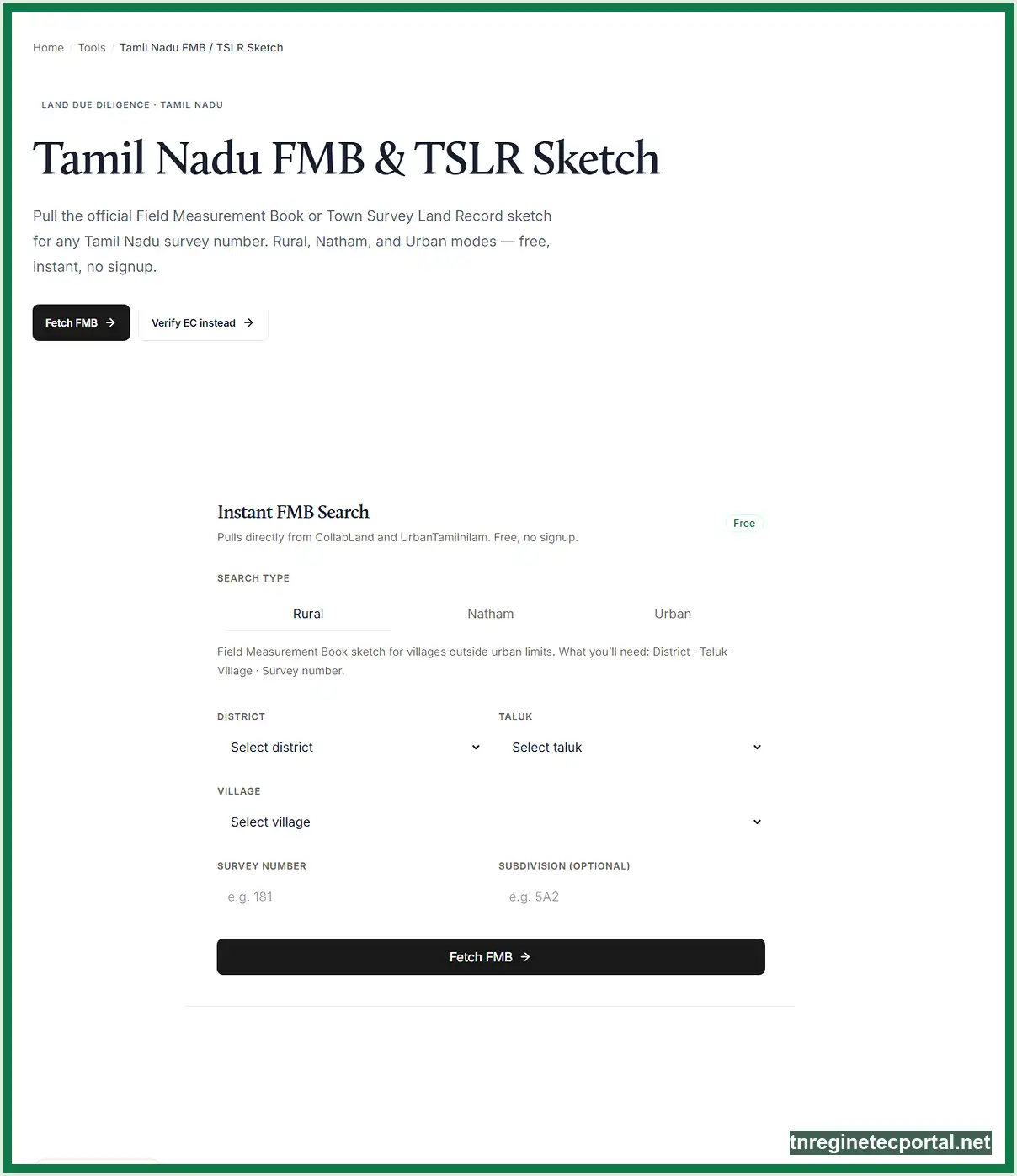
The confusing part is the route. TNREGINET is familiar, but the working FMB sketch sits on the Tamil Nadu land-record e-services side.
FMB sits close to Patta, Chitta, and TSLR in the same property-checking journey, but it solves a different problem. It shows the field-level picture of the land, not just the ownership or classification side of the record.
Why TNREGINET and FMB often get mixed together
The brand confusion is easy to understand. Many users already know TNREGINET from EC, guideline value, login, registration, or document work. So when they need another land or property record, they start with the same brand name even if the real service sits elsewhere.
FMB also shows up during the same property-verification stage as Patta and EC. A buyer may already be checking registration records, survey details, and land ownership papers, then realize they still need the field sketch to see the actual boundary layout. That pushes the search back toward TNREGINET even when the working map service is on the land-record side.
The direct answer on where FMB is checked in Tamil Nadu
Use the Tamil Nadu land-record e-services portal for the live FMB path. The official menu separates FMB Sketch - (Rural / Natham) from TSLR Sketch - Urban, which is the key detail many broad competitor pages blur.
So the first decision is simple:
- if the land record falls under the rural or Natham side, start with FMB
- if the property is on the urban survey side, check whether TSLR sketch is the right path instead
That one split prevents a lot of confusion later. Many blank searches and wrong assumptions happen because users open the wrong record family first, not because the whole system is broken.
What an FMB Sketch Shows
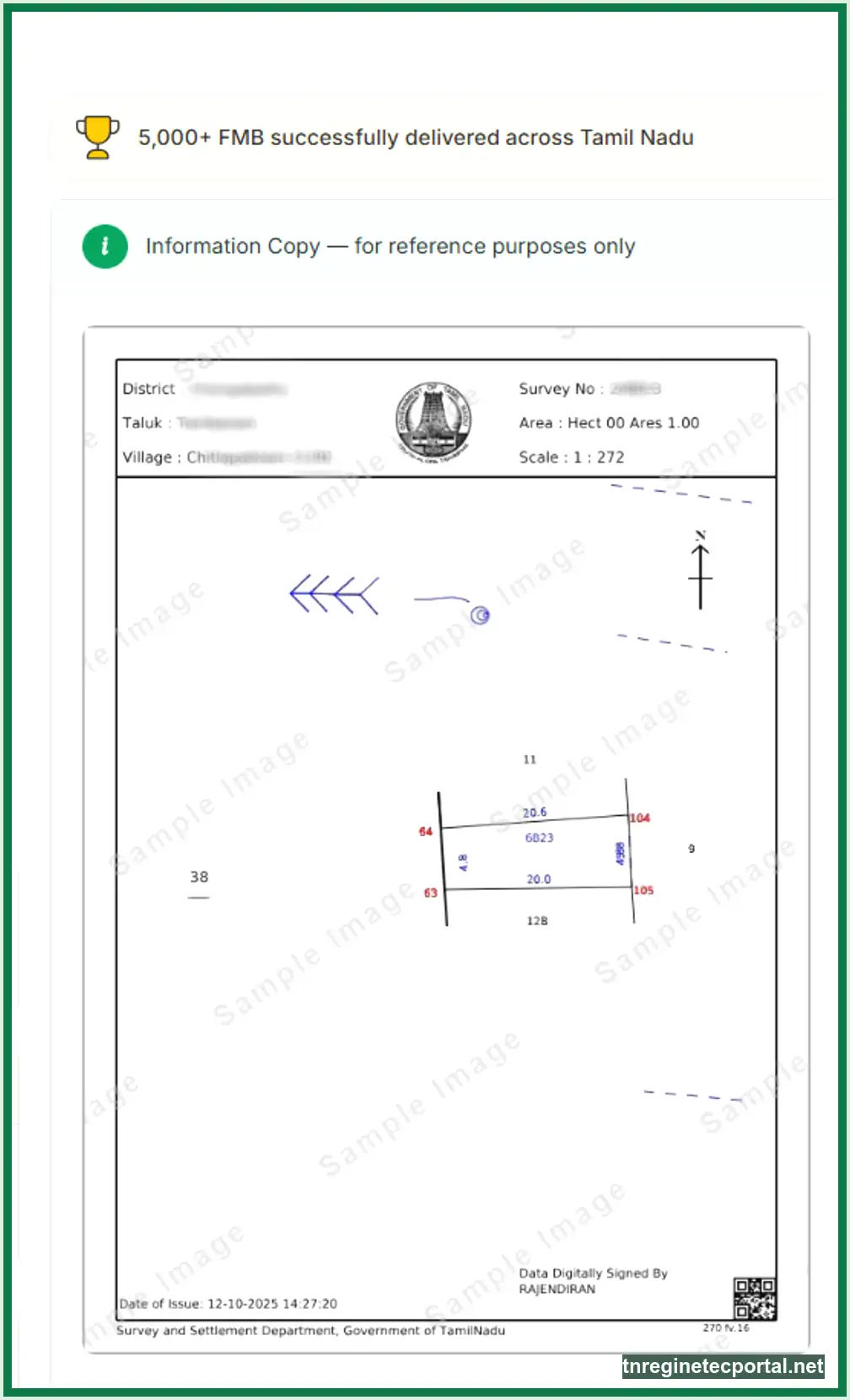
An FMB sketch is the field picture of the land record. It shows how one parcel sits on the ground through boundary lines, measurement references, subdivision detail, and the relation to nearby survey plots. That is why it matters when the question is not only who owns the land, but where the land sits and whether the shape on paper matches the shape on the ground.
This is also where many users get tripped up. They expect FMB to behave like a title document or a simple extract, then wonder why the result looks more like a survey drawing than a normal record sheet. The sketch is doing a different job. It helps users read the boundary side of the land record, not just the ownership side.
Boundaries, measurements, subdivision lines, and adjacent survey context
The most useful part of FMB is not one single number. It is the way the sketch ties several details together. A proper FMB result helps users see the field shape, the boundary direction, the subdivision pattern, and the nearby survey relationship for the exact land unit they are checking.
That is why survey number and subdivision number matter so much here. If the subdivision is wrong or skipped, the user may land on a larger parent parcel, a neighboring piece, or a result that looks close but does not match the actual field. For verification work, that kind of near match is not safe enough.
In practical use, users care about:
- whether the sketch matches the land they were shown on the ground
- whether the subdivision details line up with the deed or Patta record
- whether nearby survey context creates a boundary risk or confusion
- whether the map supports what the seller, broker, or earlier document claimed
How FMB differs from Patta, Chitta, A-Register, and TSLR
FMB should not be treated as a replacement for the other land records. It works best when users know exactly what role each record plays. Patta is closer to the ownership side. Chitta and A-Register help with classification and recorded land details. FMB is the sketch side of the same wider land-checking process.
The easiest way to think about it is this:
- use Patta when the question is ownership or recorded holding details
- use Chitta or A-Register when the question is classification, extent, or related revenue-record detail
- use FMB when the question is the field layout, the sketch, or the boundary picture
- use TSLR when the record falls under the urban survey path instead of the rural or Natham FMB route
That last point matters a lot. Some users keep forcing an FMB search when the better record is really TSLR. The result is wasted retries and the false feeling that the system is missing the property. In many of those cases, the user is simply on the wrong record path. If the real confusion is how these land records split apart, the TNREGINET Patta Chitta guide is the better follow-up.
Official Path to Check TNREGINET FMB Online
The live FMB route is on the Tamil Nadu land-record e-services side. That is the path users should trust for the actual sketch lookup. The search wording may still include TNREGINET, but the working record access does not sit inside the main registration-portal path.
This is the point that should stay clear from the start. If the user needs EC, certified copy, or registration-side follow-up, TNREGINET stays relevant. If the user needs the field sketch itself, the land-record side takes over.
Use the official Tamil Nadu land-record portal here when the job is the sketch itself, not the registration-side route.
🌐 Open Tamil Nadu Land Records PortalWhere users open the Tamil Nadu land-record service
Start with the official Tamil Nadu land-record portal and look for the menu path that includes FMB Sketch - (Rural / Natham) or the broader View Patta / Chitta / FMB route. Those are the official working signals for this task.
Do not depend on old screenshots, copied social-media instructions, or broad competitor pages that blur the systems together. The official menu already tells users the important thing: FMB sits with the rural and Natham land-record tools, not with the main TNREGINET registration path.
This also helps users avoid the wrong expectation. They are not opening a general registration dashboard here. They are opening a land-record sketch service.
Rural and Natham FMB path versus urban TSLR path
The official split matters before users type anything. If the property falls under the rural or Natham record side, FMB is the right sketch family to check. If the property sits under the urban survey side, the correct record may be TSLR or TSLR sketch instead.
That means a failed FMB search does not always prove the record is missing. Sometimes the property belongs to the other survey system. That is why urban-versus-rural context should be checked before blaming the portal, the browser, or the survey number itself.
What details users should keep ready before searching
Keep the official search inputs ready before opening the record. The safest core set is:
- district
- taluk
- village
- survey number
- subdivision number
In some cases, Patta number or owner-name path may also help, but survey number with correct subdivision is still the strongest starting point for the map side of the check. The more exact the field reference is, the lower the chance of landing on the wrong sketch or a confusing parent record.
How to View FMB Sketch Online Step by Step
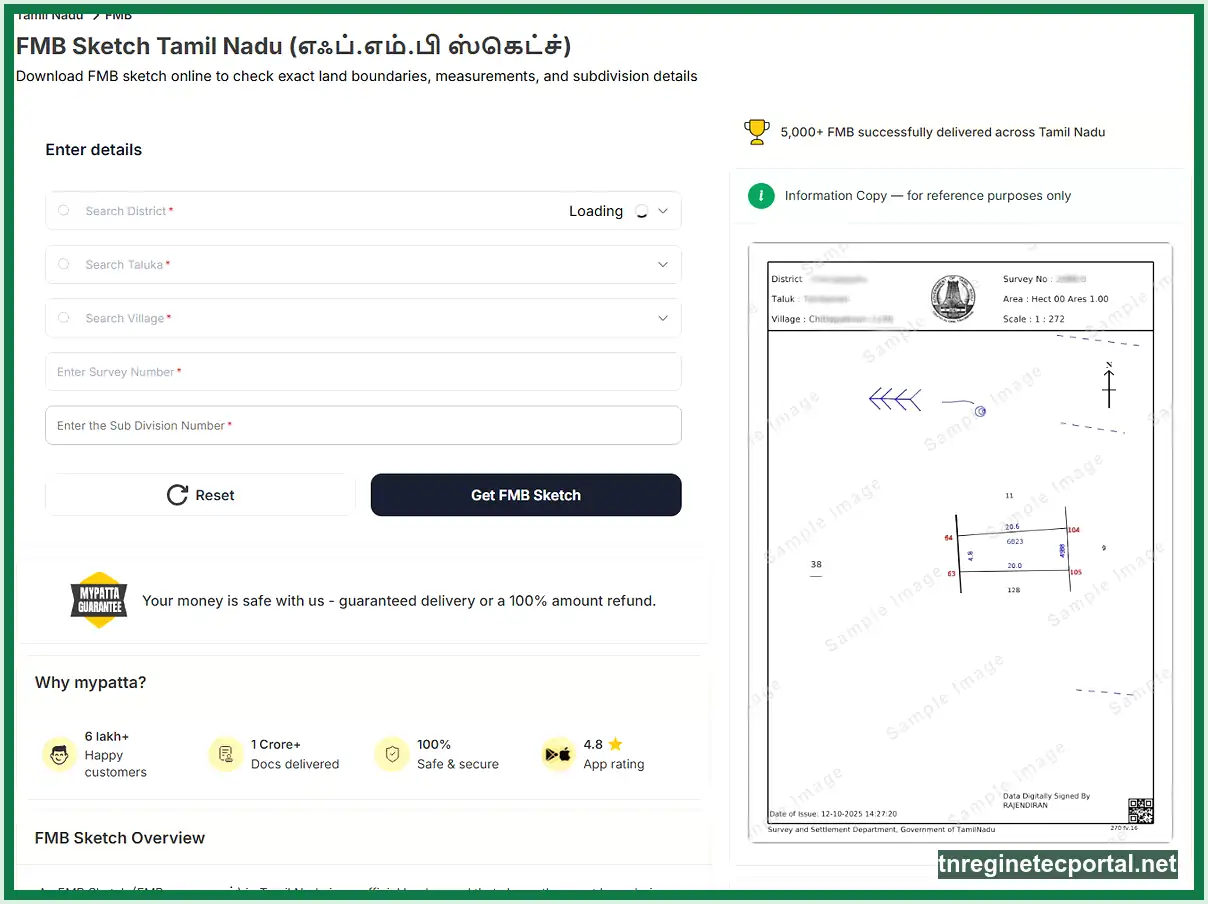
Once the record path is clear, the actual viewing flow is simple. Most users get stuck not because the steps are hard, but because one field is off, the record family is wrong, or the expected result is being compared against the wrong document.
The safer way to use the service is to slow down at the input stage and move quickly only after the record path is confirmed. A correct first search is more useful than several rushed retries.
Entering district, taluk, village, survey number, and subdivision correctly
Start with the full location chain, then move into the land detail itself. District, taluk, and village decide which record area the portal will search. Survey number and subdivision number decide which exact parcel it will try to display.
This is where many wrong results begin. Some users enter only the main survey number and ignore the subdivision. Some remember the village name loosely and pick a similar name from the list. Some use the wrong survey detail taken from an EC or deed without checking whether the land reference still matches the latest record.
The practical rule is simple:
- confirm the location fields first
- then confirm survey number
- then confirm subdivision
- then submit only when all three layers agree with the source record in hand
If one of those layers is off, the sketch may show the wrong field or nothing at all.
Viewing the sketch, reading the result, and downloading it
When the correct record loads, treat the result as a field sketch, not as a plain text certificate. Look at the parcel shape, the field line pattern, the surrounding reference, and whether the sketch supports the land you are trying to verify.
The first useful questions are:
- does this look like the same parcel described in the supporting papers?
- does the subdivision match?
- does the surrounding layout look reasonable for the village and survey context?
- is the sketch clear enough for the next task, or is local clarification still needed?
If the display is correct, use the online download route provided under the official service. The official e-service states that copies of the field measurement sketch can be downloaded free under this route, which is one of the strongest practical advantages of using the live digital path first.
What the free download does and does not replace
The free online copy is useful for checking, review, planning, and early verification. It helps users compare boundary layout with Patta, sale deed, EC details, or site-level expectations without making an immediate office visit.
At the same time, users should not assume the free online copy solves every later need by itself. Some cases still need local confirmation, office-side clarification, or a stronger supporting paper trail when the land is disputed, the sketch is unclear, or the transaction is sensitive enough that simple online viewing is not enough.
When FMB Matters Most During Property Verification
FMB becomes important when the question moves from record access to real-world confidence. A buyer may already have the deed, the EC, and the Patta details, yet still not know whether the field itself lines up with what those papers seem to describe. That is where the sketch earns its place.
This is also why FMB should not be treated like an optional side paper. In many cases, it is the clearest way to test whether the map side of the property story still matches the ownership and registration side.
Boundary checks before sale, loan, approval, or registration
Boundary doubt is one of the most practical reasons to pull FMB. If the parcel looks smaller on the ground, the borders feel vague, the subdivision looks uncertain, or the surrounding plots seem different from what the seller described, the sketch can help users slow down before making a bigger mistake.
The same applies before loan processing, layout approval, or registration-side preparation. An FMB sketch helps users see whether the field picture is broadly consistent before they move deeper into money, document, or office-level steps.
This does not mean the sketch answers every legal or technical question on its own. It means the sketch gives the field-side record that is missing when users rely only on ownership papers.
Use FMB before sale
Best when the field picture still feels weaker than the seller story or the document trail.
Use FMB with records
Best when the sketch needs to support Patta, deed, EC, or subdivision-level checking.
Value is a different question
If the next job is registration-value context instead of field shape, move to TNREGINET guideline value.
When users should compare FMB with Patta, EC, and sale deed
The sketch becomes much more useful when it is not read alone. Compare it with:
- Patta, for ownership-side and subdivision-side consistency
- EC, for the registered-history side of the same property trail
- sale deed, for the document description that led to the current ownership or transfer
Each one solves a different part of the check. FMB helps with the field picture. Patta helps with the recorded holding side. EC helps with registered transaction history. The deed helps connect the legal document trail. When the four pieces broadly support each other, the user can move forward with much more confidence than if only one record was checked.
Common TNREGINET FMB Problems and Fixes
Most FMB problems are not true system failures. They come from four common causes:
- wrong record path
- wrong survey or subdivision detail
- rural-versus-urban confusion
- a result that loads, but does not match the land the user expected
That is why the first fix is not random retry. It is sorting the exact reason the sketch did not help.
No sketch found, wrong survey details, rural-versus-urban confusion, and Unicode Tamil issues
If no sketch appears, check the record path before assuming the land is missing from the system. A user may be trying FMB for land that actually sits under the urban survey side, where TSLR is the better path. In that case, the FMB route can fail even though the record still exists under the other survey family.
If the path is correct, the next problem is the search detail itself. One wrong village selection, one skipped subdivision, or one borrowed survey number from an old paper can send the search toward the wrong field or no field at all. This is especially common when users rely on memory instead of the latest supporting record.
Another problem is readability, not absence. The official portal already warns that land-record extracts use Unicode Tamil names and browser translation can distort them. So if the record looks strange after browser translation, do not treat that as proof that the sketch itself is wrong. Read the record in its original form first.
The safest order is:
- confirm whether the property belongs to the FMB side or the TSLR side
- recheck district, taluk, village, survey number, and subdivision
- review the result without using browser translation
- then decide whether the issue is really missing data or just the wrong search path
When users should move to Taluk office, VAO, or local verification
Move beyond the online path when the sketch still does not match after careful rechecking, when the digitized route does not show the parcel clearly, or when the land is important enough that local boundary confidence matters more than convenience.
That is especially true when:
- the parcel boundary on the ground looks different from the sketch
- the sketch is missing for a record that should exist
- the subdivision looks uncertain
- the transaction involves money, loan approval, or dispute risk
- the user now needs confirmation from the local record side, not one more browser attempt
Move slower when the sketch and ground story split apart
At that point, Taluk office, VAO, or local verification becomes the safer next step. The online route is good for speed, but some cases still need office-side clarity before a buyer, owner, or advisor should rely on the map.
TNREGINET FMB FAQ
Short answers to the most common FMB search questions
No. Patta is closer to the ownership-side record. FMB is the field sketch side. They support each other, but they do not solve the same problem.
The official Tamil Nadu land-record e-service states that copies of the field measurement sketch can be downloaded free under the online route. That makes the digital path the best first check before moving to local follow-up.
Because the property may sit under the urban survey side rather than the rural or Natham FMB side. In those cases, TSLR is the better record family to check first.
Keep the full location and land reference ready: district, taluk, village, survey number, and subdivision number. Patta number or owner-name path may also help in some cases, but survey number with correct subdivision is still the stronger starting point for a clean sketch search.
Best Next Step for FMB, Patta, or TSLR
Best next step based on whether the user needs FMB, Patta, or TSLR
If the job is to see the field sketch, the boundary picture, or the land layout itself, use the FMB route first. If the job is ownership-side checking, move back toward Patta. If the land sits under the urban survey side, stop forcing the rural FMB path and check whether TSLR is the correct record instead.
That is the main shortcut that saves time here. Name the record correctly before searching for it. Then keep the right land details ready, open the official path, and read the result for what it actually is: a field sketch, not a title document.
If the sketch loads and matches the supporting papers, that is a strong next-step signal. If it does not load, does not match, or falls into the wrong record family, fix the route first. Then move to local verification only when the online path no longer gives a reliable answer.
Use this final routing rule
- use FMB first when the missing piece is the field picture, the land layout, or the boundary sketch
- move to Patta when the bigger question is ownership-side detail instead of field layout
- check TSLR when the land belongs to the urban survey side rather than the rural or Natham FMB family
- move to local verification when the sketch and the ground story stop supporting each other
That keeps the route clean and prevents the wrong record family from wasting the whole verification step.